01
DAW-Style Timeline & Tracking
Effortlessly manage your tracks with an intuitive DAW or video-editor layout. Arrange your audio and visual data directly on the timeline.
Screenshot 01

NEO Visualizer is a next-generation tool designed to visually map and sync graphics with musical data. Take full control of pitch, sustain, and velocity to drive your visuals with absolute precision.
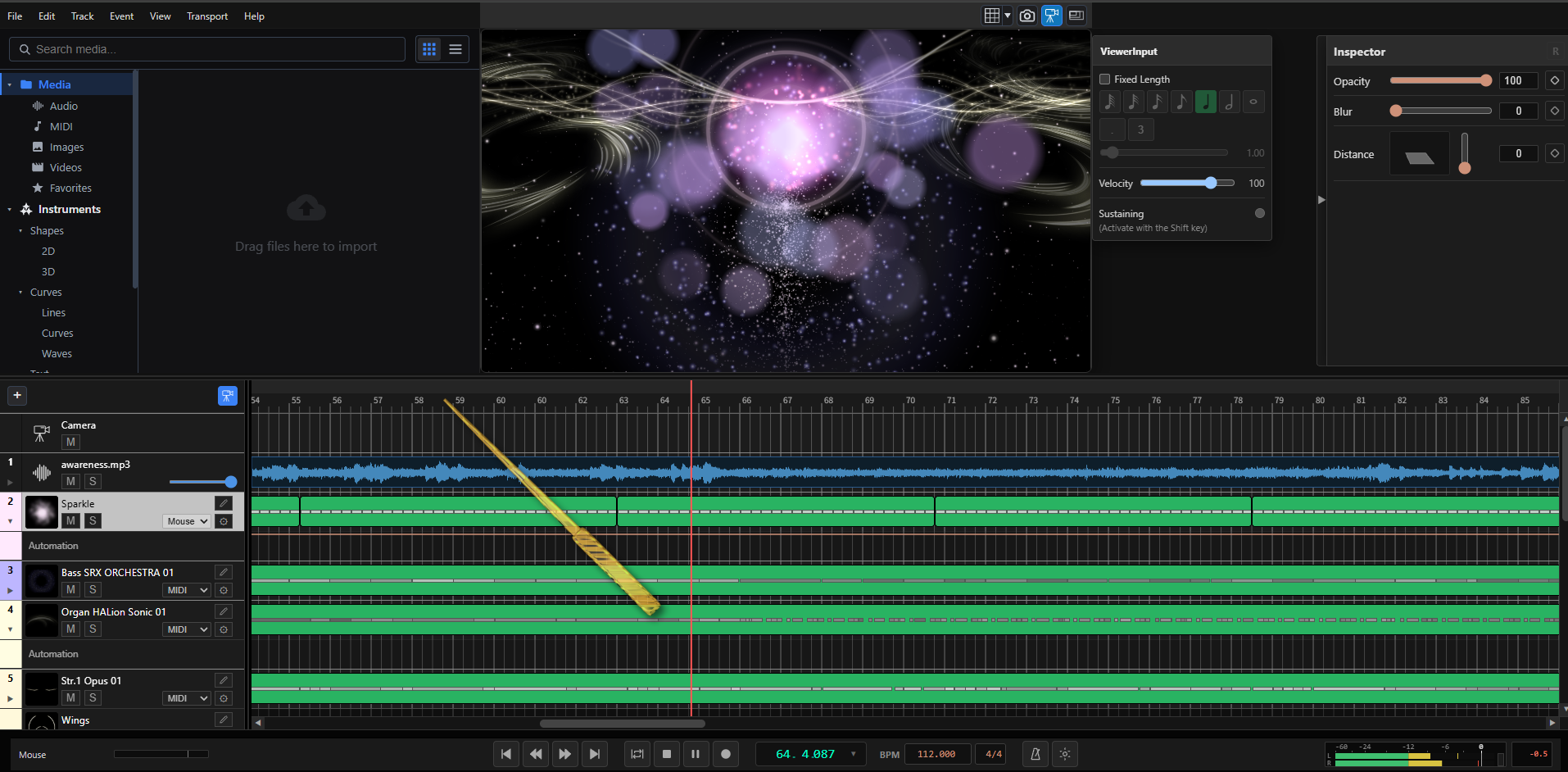
Effortlessly manage your tracks with an intuitive DAW or video-editor layout. Arrange your audio and visual data directly on the timeline.
Unleash your creativity with over 100 built-in Visual Instruments. You can also import and animate your own custom images.
Fine-tune colors, size, rotation, and motion. Take complete control by linking MIDI velocity, attack, and release to parameters like opacity and scale.
Trigger visual effects exactly where you click on the screen. Hold the Shift key while clicking to extend the sustain. For MIDI input, you can map note ranges to pre-arranged vector paths on the viewer, dynamically shifting the visual layout based on the pitch you play.
Bring your music to life instantly. Simply import standard MIDI files exported from your DAW directly into the timeline. Once imported, just assign your Visual Instruments and map the paths to the note pitches—the software will automatically animate the entire performance for you.
Animate opacity, blur, and other effects over time with professional keyframe controls, just like your favorite video editing software.
Navigate your 3D space with a dedicated camera track. Move camera positions smoothly using keyframes or switch seamlessly between multiple camera angles.
Render your creations into high-quality MP4 files. Fully supports crystal-clear 4K output for professional use.